

Table of Contents
- Before You Begin the Udyam Registration Process
- Documents Required for Udyam Registration
- Step-by-Step Udyam Registration Process
- OTP Verification During Udyam Registration
- How the Udyam Registration Certificate is Generated
- How Long Does the Udyam Registration Process Take?
- Common Mistakes to Avoid During Udyam Registration
- Conclusion
- FAQs
The Udyam Registration process is completely online through the official Udyam Portal, making it quicker and simpler for eligible businesses to register as an MSME. If you keep your Aadhaar, PAN, business details, and other required information ready, you can usually complete the application in just a few minutes.

This guide walks you through every stage of the registration process, from the documents you need and the step-by-step application to OTP verification, certificate generation and download, common mistakes to avoid, and answers to frequently asked questions.
Before you begin the Udyam Registration process
Keeping the required information ready before you start can make the Udyam Registration process quicker and help you avoid interruptions. Since the application is completed online through the official Udyam Portal, it is worth gathering all the necessary details in advance.
Start by ensuring your Aadhaar is linked to an active mobile number, as you will need to receive OTPs during the registration process. Keep your PAN details ready because the portal validates them against government records. If your business has a GST registration, keep your GSTIN handy, as it may be required for verification where applicable.
You should also have your business information available, including the enterprise name, type of organisation, date of commencement, and primary business activity. Keep your bank account details, business address, and a valid email ID ready before you begin filling in the application. Identify the correct NIC Code that best matches your business activities to reduce the chances of errors during registration. Finally, use a stable internet connection so the application and OTP verification can be completed without disruption.
Quick checklist before you start
- Aadhaar linked to an active mobile number
- PAN details
- GSTIN (if applicable)
- Business information
- Bank account details
- Business address
- Correct NIC Code(s) for your business activity
- Valid email ID
- Stable internet connection
- Access to receive OTPs on your registered mobile number
Documents required for Udyam Registration
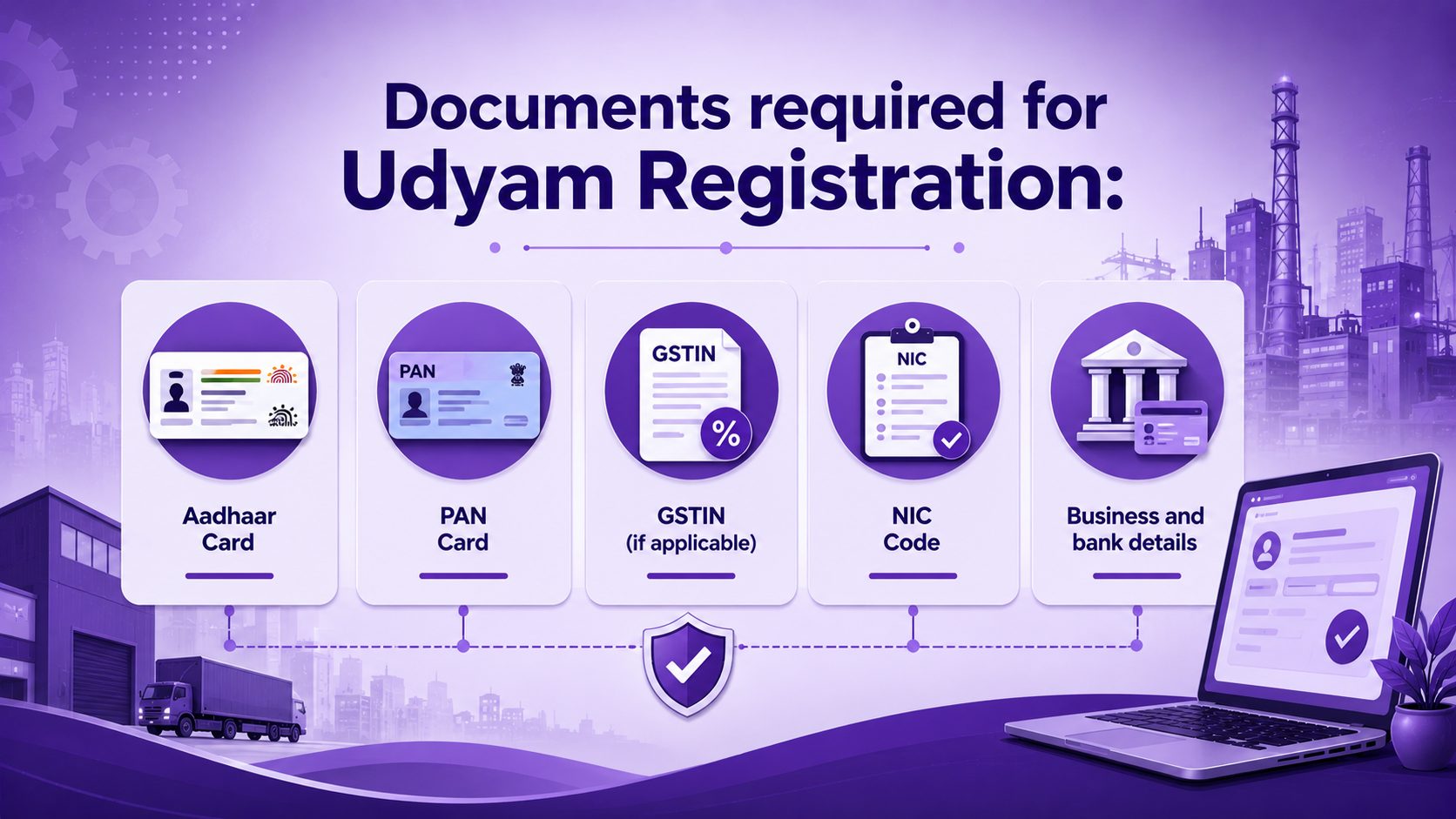
Keeping the required documents and information ready before you begin can make the Udyam Registration process smoother and reduce the chances of delays. Most details are verified online through integrated government databases, so it is important to enter accurate information that matches your official records.
| Requirement | Mandatory | Purpose |
|---|---|---|
| Aadhaar card | Yes | Identity verification and OTP authentication |
| PAN card | Yes | PAN validation and Income Tax verification |
| GSTIN | If applicable | GST verification through government records |
| NIC Code | Yes | Identifies your business activities |
| Business and bank details | Yes | Completes the registration application |
Aadhaar card
Aadhaar is the primary identity document required for Udyam registration. The Aadhaar details should belong to the appropriate person based on the type of business. For a proprietorship, use the proprietor’s Aadhaar. For a partnership firm, use the managing partner’s Aadhaar. For a Hindu Undivided Family (HUF), use the karta’s Aadhaar. For companies, LLPs, societies, trusts, and other organisations, use the Aadhaar of the authorised signatory. Ensure the Aadhaar is linked to an active mobile number, as OTP verification is required during the registration process.
PAN card
A valid PAN is required for Udyam registration. The portal validates the PAN and verifies it against Income Tax records to authenticate the business details. Make sure the PAN information entered matches the official records to avoid verification errors.
GST registration (If applicable)
If your business has a GST registration, enter the GSTIN exactly as it appears in GST records. The portal verifies these details automatically through the government database. Where GST registration is not applicable, you can proceed without entering GST details.
NIC Code
You must select the NIC Code that best describes your business activities. Choose the appropriate code for manufacturing, services, or both, depending on the nature of your enterprise. If your business carries out more than one activity, you can select multiple NIC Codes to accurately represent your operations.
Step-by-step Udyam Registration process
The Udyam Registration process is completed entirely online through the official Udyam Portal. Once you have all the required documents and information ready, you can finish the application in a few simple steps.
| Step | What to do | What to check |
|---|---|---|
| Step 1: Visit the official Udyam Portal | Open the official Udyam Registration Portal and select “For New Entrepreneurs who are not Registered yet as MSME” to start a new application. | Ensure you are using the official government portal before entering any details. |
| Step 2: Enter Aadhaar details | Enter the applicant’s Aadhaar number and the name exactly as printed on the Aadhaar card. | The name should match Aadhaar records. Any mismatch may prevent verification. |
| Step 3: Verify through OTP | Click Validate & Generate OTP and enter the OTP received on the Aadhaar-linked mobile number. | Make sure your registered mobile number is active and has network coverage. If you do not receive the OTP immediately, wait a few moments before requesting another one. |
| Step 4: Validate PAN | Enter the PAN details for the business or applicant. The portal validates the PAN through Income Tax records. | Check that the PAN entered is correct. Once verified, the portal may automatically fetch available information from government records. |
| Step 5: Enter business information | Fill in the enterprise name, organisation type, business address, communication details, date of commencement, bank account details and other required information. | Review each field carefully before moving to the next step. Incorrect details can delay the registration process. |
| Step 6: Select the appropriate NIC code | Choose the NIC Code that best represents your primary business activity. Add additional NIC Codes if your business carries out multiple activities. | Select the codes that most accurately reflect your current business operations. |
| Step 7: Enter employee, investment, and turnover details | Enter the total number of employees and provide the required investment and turnover details. | Verify that the figures are accurate and consistent with your business records, as government databases may validate certain information. |
| Step 8: Review the application | Review every section of the application before submission. | Check spellings, Aadhaar details, PAN, bank account information, business address, and NIC Code selection. Correct any errors before proceeding. |
| Step 9: Submit the application | Accept the declaration and submit the application using the final OTP verification, where prompted. | Once submitted, you cannot edit every detail immediately. Review the application thoroughly before confirming submission. |
| Step 10: Receive registration confirmation | After successful submission, the portal generates an acknowledgement and assigns a Udyam Registration Number (URN). The registration certificate is issued digitally after successful processing. | Save the acknowledgement details and note your URN for future reference, status checks and certificate download. |
Tips for a smooth registration
- Keep your Aadhaar-linked mobile phone nearby throughout the application.
- Enter details exactly as they appear in official records.
- Double-check your NIC Code selection before submitting the form.
- Avoid refreshing or closing the browser during OTP verification or submission.
- Save your acknowledgement or note down your Udyam Registration Number once the application is submitted.
OTP verification during Udyam Registration
OTP verification helps protect your identity and ensures only authorised users can complete the Udyam Registration process. Keep the mobile number linked to your Aadhaar accessible while registering.
Identity verification: Confirms that the person submitting the application is authorised to do so.
Aadhaar authentication: Verifies the Aadhaar details using the OTP sent to the Aadhaar-linked mobile number.
PAN verification: Where applicable, the portal validates PAN details against Income Tax records as part of the registration process.
If OTP verification fails: Check your mobile network, confirm that your Aadhaar-linked mobile number is active, and ensure the OTP has not expired.
Retry guidance: Wait for a few moments before requesting a new OTP. Avoid multiple rapid requests, as they may temporarily delay OTP delivery. If the issue persists, verify your Aadhaar-linked mobile number before trying again.
How the Udyam Registration certificate is generated
Step 1: Complete and submit your application
Once the Udyam Registration process is successfully completed and your application is submitted; the portal verifies the information provided through the relevant government databases.
Step 2: Receive your Udyam Registration Number (URN)
After successful verification, the portal generates a unique Udyam Registration Number (URN) for your enterprise. Keep this number safe, as you will need it for certificate downloads, status checks, and future updates.
Step 3: Generate the Digital Certificate
The Udyam Portal issues a digital Udyam Registration Certificate after the registration is processed. The certificate is generated electronically and becomes available for download through the portal.
Step 4: Download your certificate
You can download the certificate directly from the Udyam Portal whenever required. There is no physical certificate issued or sent by post.
Step 5: Verify using the QR code
The certificate includes a QR code that allows anyone to verify its authenticity and view key registration details. Download and save a copy of the certificate for future business, banking, tender, and government-related requirements.
How long does the Udyam Registration process take?
The Udyam Registration process is usually completed within 15 to 30 minutes if you have all the required details ready and there are no verification issues. The exact time may vary depending on how quickly you complete the application and whether Aadhaar, PAN, and GST details (where applicable) are verified successfully. Delays can also occur due to OTP delivery issues, incorrect information, or temporary server traffic on the portal.
| Stage | Typical time |
|---|---|
| Filling in the application | 10–20 minutes |
| Aadhaar and PAN verification | 2–5 minutes |
| OTP verification | Less than 2 minutes |
| Application submission | 1–2 minutes |
| Generation of Udyam Registration Number (URN) | Usually immediate after successful submission |
| Digital certificate availability | Typically generated shortly after successful registration |
Note: If any information does not match government records or OTP verification is unsuccessful, the registration process may take longer until the issue is resolved.
Common mistakes to avoid during Udyam Registration
Even small errors can slow down the Udyam Registration process or lead to verification issues. Review the following points before submitting your application.
Incorrect Aadhaar details: Enter the Aadhaar number and applicant’s name exactly as they appear on the Aadhaar card. Any mismatch can prevent successful verification.
PAN mismatch: Ensure the PAN details match the official Income Tax records. Incorrect information may cause the validation to fail.
Selecting the wrong NIC Code: Choose the NIC Code that best reflects your current business activities. If your business has multiple activities, include all relevant NIC Codes.
Mobile number not linked to Aadhaar: Use an Aadhaar-linked mobile number, as OTP verification is required to complete the registration.
Typing errors: Double-check spellings, business name, address, email ID, and other details before moving to the next step. Simple typing mistakes can create problems later.
Incorrect bank account details: Verify your account number and IFSC code carefully to ensure they are entered accurately.
Creating a duplicate registration: Avoid submitting a new application if your enterprise is already registered. Check your registration status first if you are unsure.
Submitting incomplete information: Review every section of the application before final submission. Completing all mandatory fields accurately helps avoid unnecessary delays and reduces the need for corrections later.
Conclusion
The Udyam Registration process is designed to be simple and fully online, making it easier for businesses to complete their registration without visiting any office. Taking a few extra minutes to review your application before submission can help prevent unnecessary delays or verification issues. Once your registration is complete, you can use our related guides to download your Udyam Registration Certificate, check your Udyam Registration Status, update your Udyam Registration, or learn more about the Udyam Portal.
Empowering MSMEs to grow smarter
Tata nexarc delivers powerful solutions for MSMEs—discover tenders, logistics solutions, and streamline procurement. Everything your business needs, all in one place.
For latest real-time stats, you can explore – https://dashboard.msme.gov.in/dashboard.aspx#
FAQs
What is the Udyam Portal?
How many MSMEs are there in India?
| Category | Registrations |
|---|---|
| Total registrations | 5.12 Crore |
| Total classified | 5.12 Crore |
| Micro enterprises | 5.07 Crore |
| Small enterprises | 5.40 Lakh |
| Medium enterprises | 41.7 Thousand |
| Total employment | 34.42 Crore |
What is the Udyam portal used for?
The Udyam Portal is the official platform for MSME registration in India. It is integrated with the Income Tax and GST systems to validate business details automatically. Registered MSMEs can access eligible government schemes, financial support, priority sector lending, exemptions from EMD in eligible government tenders, protection against delayed payments, and other MSME-related benefits.
What is the difference between Udyam and MSME?
MSME refers to the category of Micro, Small and Medium Enterprises, while Udyam is the official registration system for obtaining MSME recognition. Since 1 July 2020, Udyam has replaced Udyog Aadhaar as the official MSME registration platform.
Who is eligible to register on Udyam portal ?
Businesses engaged in manufacturing, services, retail, or wholesale trade can register on the Udyam Portal if they meet the latest MSME investment and turnover criteria. Eligible businesses also include startups and e-commerce enterprises.
Who can apply on Udyam Registration Portal?
- Individuals, startups, business owners, and entrepreneurs
- Private and public limited companies
- Sole proprietorship
- Partnership firm
- Limited Liability Partnerships (LLPs)
- Self Help Groups (SHGs)
- Co-operative societies
- Trusts
How to check status on Udyam portal?
To check your registration status:
- Visit the official Udyam Portal.
- Log in using your Udyam Registration Number (URN) and registered mobile number.
- Complete OTP verification.
- View your application status or download your certificate.
How can I recover my Udyam Registration Number (URN) or UAM number?
If you have forgotten your URN or UAM number:
- Visit the Udyam Portal.
- Go to Print/Verify > Forgot Udyam/UAM No.
- Choose to recover your URN or UAM number.
- Verify using the OTP sent to your registered mobile number or email ID.
- View your registered URN or UAM number.
Sohini is a seasoned content writer with 12 years’ experience in developing marketing and business content across multiple formats. At Tata nexarc, she leverages her skills in crafting curated content on the Indian MSME sector, steel procurement, and logistics. In her personal time, she enjoys reading fiction and being up-to-date on trends in digital marketing and the Indian business ecosystem.



Really nicely explained. You have stated that MSME registration grants access to government loan schemes as a benefit. Can you share some specific loan schemes available to MSMEs?
PMMY, CGTMSE, and CLCSS are some of the main government loan schemes available to MSMEs. you can check their website also
I want to support ethical businesses. Does MSME registration require businesses to disclose where they get their materials, or how much they pay their workers? That information would influence my decisions.
No, it is an internal operational matter to operate a business. It does not force to disclose the same in such detail.
Such an informative blog…
you can easily Apply for MSME Registration Online through this portal.
It’s clear and easy to follow, which is helpful for entrepreneurs and small business owners who might be unfamiliar with the requirements. My uncle is running a carpet manufacturing small business and he is still unware about it this initiative. I told him to do this MSME registration to scale the business. Let’s see if he do it. But overall, govt. needs to do something for awareness also.